
The YouTube SEO steps
- Look at the top videos that consistently rank for your keyword.
- Make a thumbnail that sticks out above the competitors, and split test it.
- Put the keyword in your description, chapters, title, playlist, and tags.
- Set the category to education and how-to, and add your other channel as a collaborator.
- Turn the video into a blog post, then index it on Google and Bing.
How to get started with YouTube SEO
Here's the simple order I follow every time I want a new video to rank at the top of YouTube for one keyword.
- Search your keyword on YouTube and study the top videos that consistently stay at the top.
- Create a thumbnail that sticks out above those competitors, and split test a few versions.
- Write an original description with your keyword in it multiple times, plus links to a page on the same keyword.
- Put the keyword in your title, one of your chapters, a matching playlist, and your tags, and set the category to education.
- Add your business or personal channel as a collaborator for more exposure.
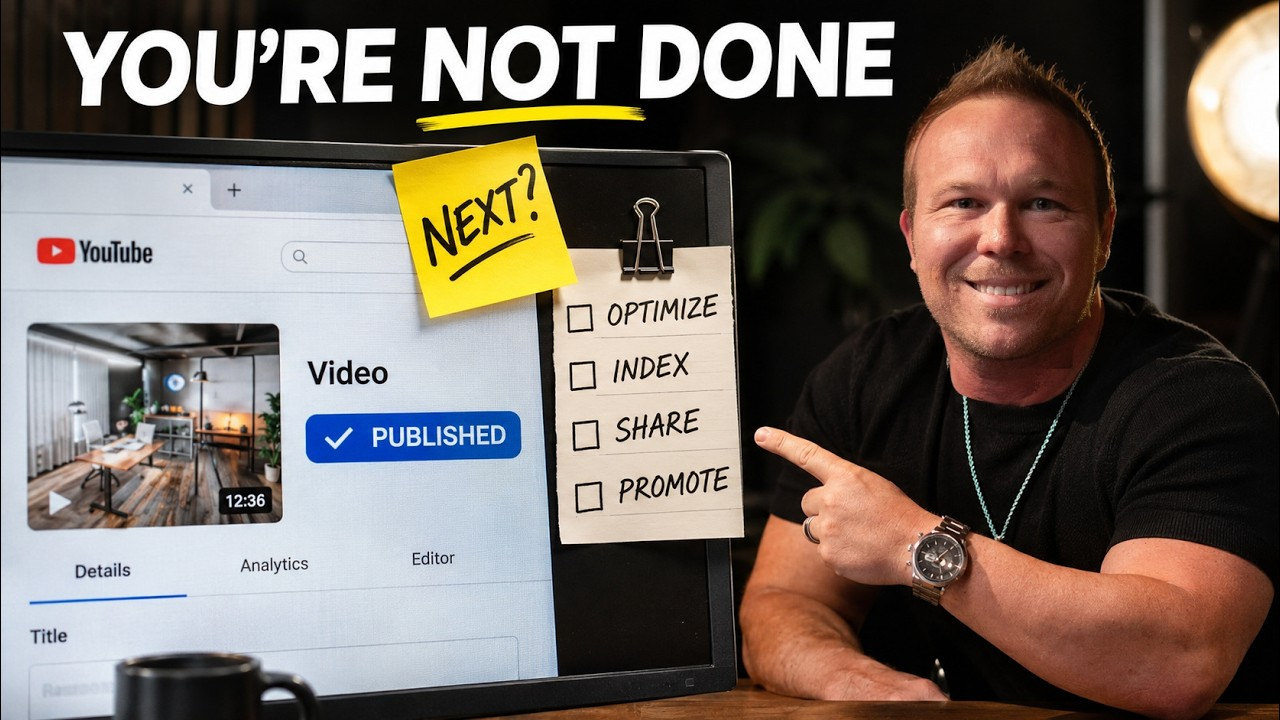
- Write a blog post from the transcript with the video embedded, then index it in Google Search Console and Bing Webmaster Tools.
Why YouTube is worth ranking
Videos are one of the most important things you can use to grow online, because a video is a relationship. It's face to face, and it's something helpful. Don't make AI videos and don't be faceless. Build a relationship, build your personal brand, and help other people, and that's how you're truly going to be able to scale.
In this video, Brad Smith, entrepreneur, breaks down his screen and shows the before and after of an experiment using the new AI SEO with YouTube search. The goal is to take a YouTube video, rank it at the top of YouTube, and get more leads and visitors from it so you can grow your brand. If you're just getting started on your channel, here's a proven YouTube video marketing strategy that turns those viewers into customers.
Step 1: Study the top videos for your keyword
The keyword I wanted to rank for in this test was personal brand. The first step was going to YouTube, searching that keyword, and looking at the top videos showing at the top. I wanted to see which ones consistently stay at the top for the word personal brand, because those are the videos you're competing with.
Step 2: Make a thumbnail that sticks out
Next, I created the thumbnail to stick out above the competitors, and then built out all the SEO in the back end. Right now I've got a split test going with three thumbnails. If you want the exact prompt I used to make these thumbnails stand out against the others, comment thumbnail on the video.
How I ranked for advertising
I did this same thing recently for the keyword advertising. I was nowhere to be found in that list for ads. Then I ranked one video specifically for the word advertising in the description, and now I'm showing up at the top, number one under advertising, which is one of the most competitive keywords on YouTube.
The crazy part is the video I posted on Friday is showing up at the top as well, so I don't have one video ranking, I have two for that keyword. They're building off each other. Here's the advertising strategy from the video that ranked.
The results: ranked in two days
I recorded the first video on Monday, then recorded the next video two days later on Wednesday. I shared my screen, typed in personal brand, and my video was right there at the top in the third spot, with my thumbnails showing below it. That just took a few days. When I checked in incognito, I was in the fourth spot.
If you want to see the topic I was ranking for, here's how to build a personal brand that makes money.
Step 3: Collab, description, and chapters
When you go to your video, there are a few things you need to do. Number one, collab with your other channels. Set up a business channel and a personal channel, or vice versa, and use the collab feature to add the other one as a collaborator so you get more exposure.
Then spend a ton of time on your description, and it needs to be your original content. Make sure your keyword is in there multiple times, with links that also send people to a page on that same keyword. In my description I'm talking personal brand, then I talk personal brand again, and I add it into all of my content down below.
Make sure your chapters are set up properly and your keyword is in one of your chapters. In this case, one of my chapters is personal brand website.
Step 4: Title, playlist, tags, and category
In the back end where you're setting it up, you obviously need the keyword in your title. What you also need to do is connect the video to a playlist. We created a playlist with the same keywords, personal brand and personal branding, and set up all the SEO descriptions for that playlist too.
Answer the settings honestly. No, it's not made for kids. No, it's not a paid promotion. And no, there's no AI in it. This is also where you add the collaborators. Then put your keyword in the tags, keep scrolling down, change the category to education and how-to, and make sure that keyword is in the education how-to section as well. For more of what I do after I hit publish, see how to get more views on YouTube.
Step 5: Turn your YouTube video into a blog post
Once you're done with that, go put a blog post on your website. On my site, under Brad Smith, I have a personal brand post. Put the keyword in the title, embed the YouTube video on the page, and write the blog based on the transcription, so it's in your own words. Now you've got your video, and you've got your blog, and they work together. This page you're reading is that step for this video.
Step 6: Index it on Google and Bing
Next, go to Google Search Console and Bing Webmaster Tools and get the new page indexed. In Google Search Console, put the new URL in the top bar and hit enter. It starts retrieving it from Google, and if it's not indexed already, click request indexing. Then go to Bing, open URL inspection, and inspect the URL. That lets them know you're a verified site and the new page is live.
I do the same thing for blog posts on our advertising agency page. If you haven't set up Search Console yet, here's the Google AI search update and how to connect Search Console.
Getting found in Google and ChatGPT search
Once it's done, give it a few days. Go to Google and do a quick search. When I search personal brand, my YouTube video is showing there and my blog post is showing there too. This next part takes a little bit longer, but this is also how your video and blog start getting indexed in ChatGPT and other AI search results.
That's why I still care about SEO, just in a different way. Here's why you still need SEO with AI search. If you want the video frameworks I use for my own channel, take the free YouTube Video Frameworks course.
From AutomationLinks
- the free YouTube Video Frameworks course
- This YouTube marketing strategy turns viewers into customers
- YouTube ads at AutomationLinks
- Work with us at AutomationLinks
Common questions
What is YouTube SEO?
YouTube SEO is setting up your video so it shows up at the top when someone searches your keyword. That means a thumbnail that sticks out, plus the keyword in your title, description, chapters, playlist, tags, and category.
How do you rank YouTube videos fast?
Study the top videos for your keyword, make a standout thumbnail, put the keyword everywhere in the back end, then turn the video into a blog post and index it. My video for personal brand was in the third spot two days later.
How long does it take to rank a YouTube video?
My video for the keyword personal brand ranked in the third spot on YouTube in two days. After you index the blog post, give Google a few days.
How do you rank YouTube videos on Google search?
Put a blog post on your website with the keyword in the title, embed the video, and write it from the transcript. Then request indexing in Google Search Console and inspect the URL in Bing Webmaster Tools.
How do you rank YouTube videos in ChatGPT?
Blog the video on your website and get it indexed on Google and Bing. It takes a little longer, but that's how your video and blog start showing up in ChatGPT and other AI search results.
Keep reading
More in YouTube
Follow Brad
- YouTubeEducational Coaching
- YouTubeBuilding a billion dollar AI brand
- X@bradsmith
- Instagram@bradsmithcoach
- LinkedInBrad Smith
- Emailemail@thebradsmith.com
Get the free weekly tips in AI Accelerator, or start with the free training.